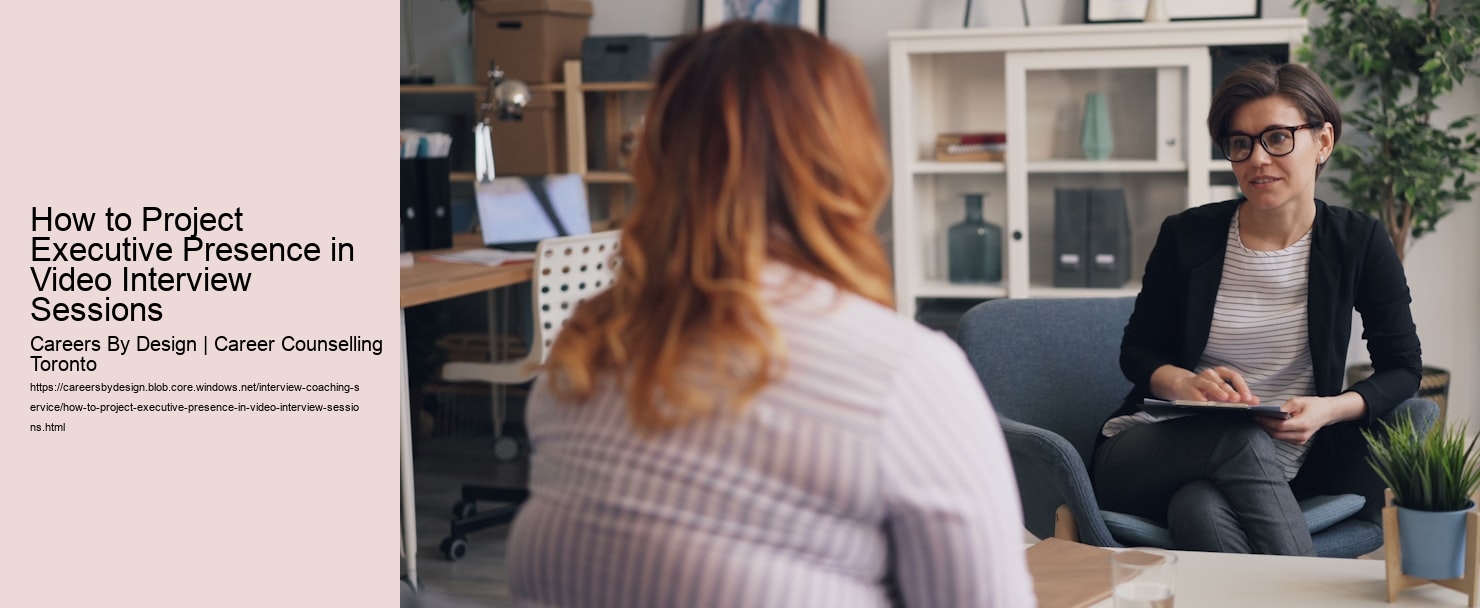
Your home office might feel cozy to you, but on video it could look like a cluttered mess. Take 10 minutes before your interview to scan what's visible behind you. Those family photos and your overflowing bookshelf? They might need to go - at least temporarily.
Find a clean wall or simple background that won't distract from you. If you're stuck in a busy space, most video platforms offer background blur options. Test it beforehand though - you don't want to look like a floating head during your big moment.
Lighting can make or break how you come across. Face a window if you can - natural light is your friend. If that's not possible, grab a desk lamp and position it behind your computer, facing you. Avoid overhead lighting that creates unflattering shadows under your eyes.
Your camera angle matters more than you'd think. Position your laptop or webcam at eye level (stack some books under it if needed). Looking slightly up at the camera makes you appear more confident than when you're peering down at it. And please - test your tech. There's nothing worse than scrambling with audio settings when you should be talking about your achievements.
If you're feeling nervous about how you'll come across on video, you're not alone. Many professionals find that practicing with an interview coach helps them spot and fix issues they didn't even notice. They can give you feedback on everything from your virtual background to your body language.
Remember to sit about arm's length from the camera - close enough to show engagement, but not so close that your interviewer can count your pores. And keep your gestures contained to the frame. Those big hand movements that work in person might make you look like you're doing jumping jacks on video.
Your body speaks volumes before you say a word in a video interview. I learned this the hard way when I slouched through my first virtual meeting - my posture made me look disinterested, even though I was totally engaged.
Sit up straight, but stay relaxed - imagine a string pulling you up from the crown of your head. Keep your shoulders back and down. This instantly makes you appear more confident and alert.
Hand gestures can be tricky on video. Keep them natural and within the frame of your camera. When you're making a key point, use deliberate gestures at chest level. But don't overdo it - wild hand movements are distracting on screen.
Eye contact is crucial, but it feels weird on video. Here's a pro tip: place a small sticky note with a smiley face right next to your camera. Looking at it while speaking helps you maintain "eye contact" with your interviewer. Professional interview coaches often recommend practicing this technique until it feels natural.
Watch out for unconscious movements like touching your face or fidgeting with your hair. These nervous habits become super obvious on camera. If you need to move, make it purposeful - lean in slightly when listening to show engagement, or sit back thoughtfully before answering a complex question.
Remember to smile genuinely at appropriate moments. A warm expression helps create connection, even through a screen. But don't force it - a fake smile is worse than no smile at all.
Your voice needs extra oomph during video interviews since microphones can dampen your natural energy. Try standing up while you speak - it opens up your diaphragm and gives your voice more power and presence. Practice recording yourself answering common interview questions and listen back to check your volume and clarity. Keep a glass of water nearby to prevent your voice from getting scratchy during longer interviews. Remember to pause briefly between thoughts instead of rushing - these micro-breaks help your words land with more impact.
The natural tendency when we're nervous is for our voice to creep higher, which can make us sound less authoritative. Take deep breaths before speaking to help maintain a lower, more grounded vocal register. Watch for uptalk - that habit of ending statements like they're questions. Record yourself telling a work achievement story and notice if your pitch rises at the end of sentences. Practice maintaining an even, confident tone especially when discussing your accomplishments. Your voice should convey certainty without sounding aggressive or overbearing.
Video lag can make fast talkers even harder to follow, so consciously slow your pace. Count to two in your head after the interviewer finishes speaking before you start your response. This prevents awkward talk-overs and shows you're thoughtful. Break your answers into clear chunks with micro-pauses between main points. If you tend to ramble when nervous, practice the STAR method for structuring responses. Remember that a slightly slower pace with clear enunciation beats rapid-fire delivery every time.
Video calls can drain your energy faster than in-person conversations, impacting how engaged you sound. Schedule interviews when your energy naturally peaks if possible - for most people that's mid-morning. Do some light exercise or stretching beforehand to boost your alertness and vocal energy. Keep your gestures animated but controlled to help maintain your enthusiasm throughout the call. Remember to smile and let your personality shine through, even if you're feeling drained or nervous.
Poor audio can torpedo your professional image no matter how well you speak. Test your microphone setup before the interview and listen for any background noise or echo. Position yourself about 6-12 inches from your microphone for optimal voice capture. Consider using a headset with a noise-canceling mic if your space isn't perfectly quiet. Do a test recording in your interview location at the same time of day to catch any unexpected sound issues like traffic noise or neighbor activity.
Your webcam is about to become your best friend or worst enemy. Let's make sure it's the former. Having coached hundreds of professionals through video interviews, I've seen how small tweaks to your setup can make a huge difference in how you come across.
First up - lighting matters more than you think. Avoid sitting with a bright window behind you (unless you're going for that witness protection program look). Position a lamp or ring light in front of you, slightly above eye level. This eliminates unflattering shadows and helps you look fresh, even if you're on your fifth interview of the week.
Your background should be clean and uncluttered. You don't need a fake Zoom background of the Taj Mahal - a simple wall with maybe one piece of artwork works great. Just check that there's nothing embarrassing in view (looking at you, pile of laundry).
Camera angle is crucial. Nobody wants to see up your nose or down at your forehead. Place your laptop on some books so the camera is at eye level. Sit about arm's length away from the screen - close enough to show engagement but not so close that your face fills the entire frame.
Dress like you would for an in-person interview, but avoid busy patterns or stark white (it can blow out your video). Navy blue, soft gray, or jewel tones look fantastic on camera. And yes, wear proper pants - you never know when you might need to stand up!
If you're feeling nervous about nailing these details while also trying to ace your answers, consider working with an interview coach who specializes in video interviews. They can help you practice in real conditions and spot issues you might miss.
Test your setup before the big day. Record yourself answering a few practice questions. Watch it back (yes, it's awkward - do it anyway). Pay attention to your gestures - they should be natural but contained within the frame. And remember to look directly into the camera when speaking to create that confident eye contact executives are known for.
How to Project Executive Presence in Video Interview Sessions
Let's face it - video interviews can feel awkward. You're trying to project confidence while staring at a tiny webcam, wondering if your background looks professional enough, and hoping your neighbor's dog doesn't start barking mid-answer.
The good news? You can absolutely nail your video interview with some simple tweaks to your setup and approach. I've helped hundreds of professionals master the virtual interview game, and these proven techniques make a real difference.
First, position your camera at eye level. Nothing screams "unprepared" like that unflattering up-the-nose angle when your laptop's too low. Stack some books under it if needed - your future employer doesn't need to see them.
Lighting matters more than you think. Face a window if you can, or grab a small ring light. When the interviewer can see your expressions clearly, you'll build better rapport. Dark shadows under your eyes? Not the executive vibe you're going for.
Practice your "camera presence" before the big day. Record yourself answering common questions and watch it back. Yes, it feels weird - but you'll spot distracting habits like touching your face or looking away while speaking. Many of my clients are shocked to discover their nervous tics this way.
If you're feeling rusty or anxious about your upcoming interview, consider working with a professional interview coach who can give you honest feedback and help you refine your virtual presence. Interview coaching sessions can help you identify your blind spots and build genuine confidence.
Your background should be clean and uncluttered, but not sterile. A few tasteful items like a plant or some books can actually help you appear more relatable. Just make sure there's nothing inappropriate or distracting in view - including that pile of laundry you've been meaning to fold.
Remember to look directly at the camera when making key points. It feels unnatural at first, but it creates the same impact as eye contact in person. Think of it as your personal teleprompter guiding you through your greatest career hits.
Dress professionally from head to toe - even if they can't see your feet. You'll feel more confident, and you never know when you might need to stand up. Plus, those pajama bottoms aren't putting you in the right headspace for discussing your five-year plan.
Test your tech at least an hour before the interview. A last-minute scramble to fix your microphone won't help those pre-interview jitters. Have a backup plan too - keep your phone charged and ready in case your internet decides to take an ill-timed coffee break.
Let's face it - your webcam can be your best friend or worst enemy during a video interview. I've seen countless brilliant candidates get flustered when their audio cuts out or their video freezes at a crucial moment.
First, run a complete tech check at least an hour before your interview. Test your camera, microphone, and internet connection. Have your phone ready as a backup internet hotspot - it's saved me more than once during important calls.
Position your camera at eye level - no one wants to see up your nose or down at your head. A stack of books under your laptop works perfectly. Sit about arm's length from the camera so your head and shoulders fill most of the frame.
Lighting makes a huge difference. Face a window if you can, or place a lamp behind your computer. Avoid overhead lights that create harsh shadows. If you're not sure how you look, record a quick video of yourself and watch it back.
Your background should be clean and professional, but it doesn't need to be boring. A few books or a plant can add personality without being distracting. Just avoid virtual backgrounds - they often glitch and can make you look unprofessional.
If you're feeling nervous about the technical aspects of video interviews, you're not alone. Many of my clients have found that professional interview coaching helps them master both the technical and personal elements of video interviews.
Keep your power cord plugged in and close all unnecessary browser tabs and apps. Nothing kills your confidence quite like your battery dying mid-answer or getting notifications from Slack during your interview.
Have a backup plan ready. Write down the interviewer's phone number before you start. If your video crashes, you can quickly call them and continue the conversation without missing a beat.
Let's talk about nailing your video presence - because looking polished on Zoom is a whole different game than in-person interviews. Trust me, I've coached hundreds of professionals through this, and there's an art to coming across as confident and capable through that little webcam.
First up - your backdrop matters more than you might think. Find a clean, uncluttered wall or professional-looking space. You don't need a fancy home office, but that pile of laundry behind you isn't doing you any favors. A simple bookshelf or plain wall works great.
Position your camera at eye level - seriously, this makes a huge difference. Stack some books under your laptop if needed. Nobody wants to see up your nose or have you looking down at them like you're judging their life choices.
Here's a pro tip that's often overlooked: dress fully professional, even below the camera line. You might think "they'll never see my pajama pants!" until you need to stand up to adjust something. Plus, being fully dressed puts you in the right headspace.
Lighting can make or break how you come across. Face a window if you can, or put a small lamp behind your computer. When the light hits your face straight on, you look more energetic and engaged. Overhead lighting creates weird shadows that can make you look tired or stern.
If you're feeling nervous about the technical aspects, consider working with an interview coach who specializes in video interviews. They can do practice runs with you and point out things you might miss, like unconscious habits or audio issues.
Speaking of audio - use headphones if you can. They cut down on echo and make your voice clearer. Test your mic beforehand - nothing says "I'm not prepared" like spending the first five minutes of your interview trying to get your sound working.
Remember to look directly into your camera when speaking. Yeah, it feels weird at first - you're basically staring at a tiny dot. But this creates the impression of eye contact for your interviewer. Practice this ahead of time so it feels more natural.
And here's something that might surprise you: gestures need to be slightly more pronounced on video. Small nods or subtle hand movements often don't translate well. Make your gestures about 20% bigger than you normally would, but keep them natural and don't go overboard - you're not directing traffic.